Nano Banana Pro Prompt
Create stunning AI images with Nano Banana Pro. Copy-paste tested prompts for text-to-image, photo editing, and professional outputs.
Ready-to-Use Nano Banana Pro Prompt Collection
Copy-paste tested prompts and start creating immediately. Each prompt delivers professional results—no AI experience needed.
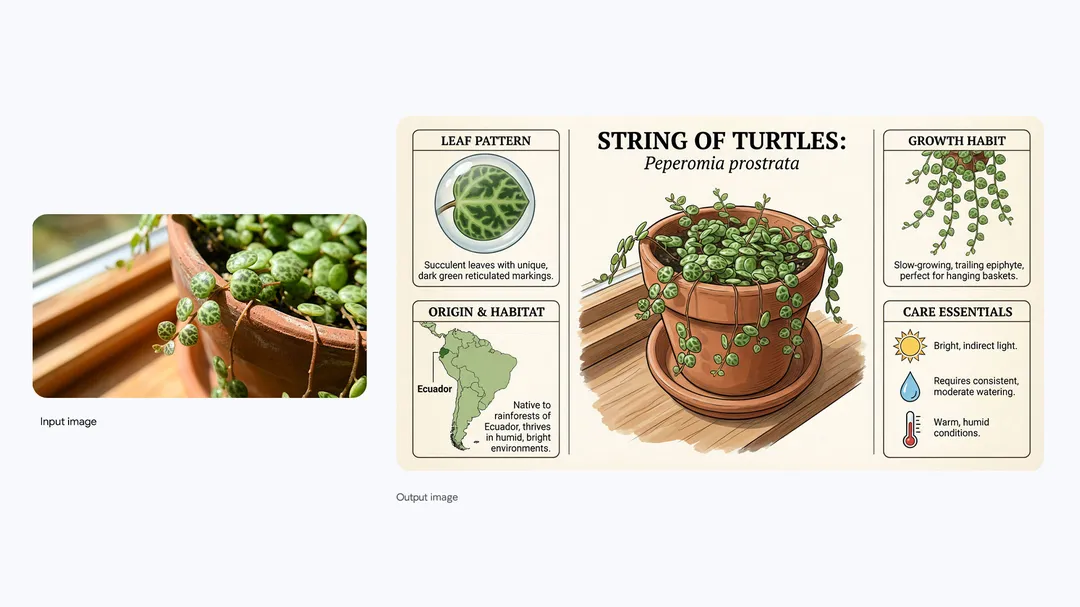
Create an infographic about this plant focusing on interesting information.
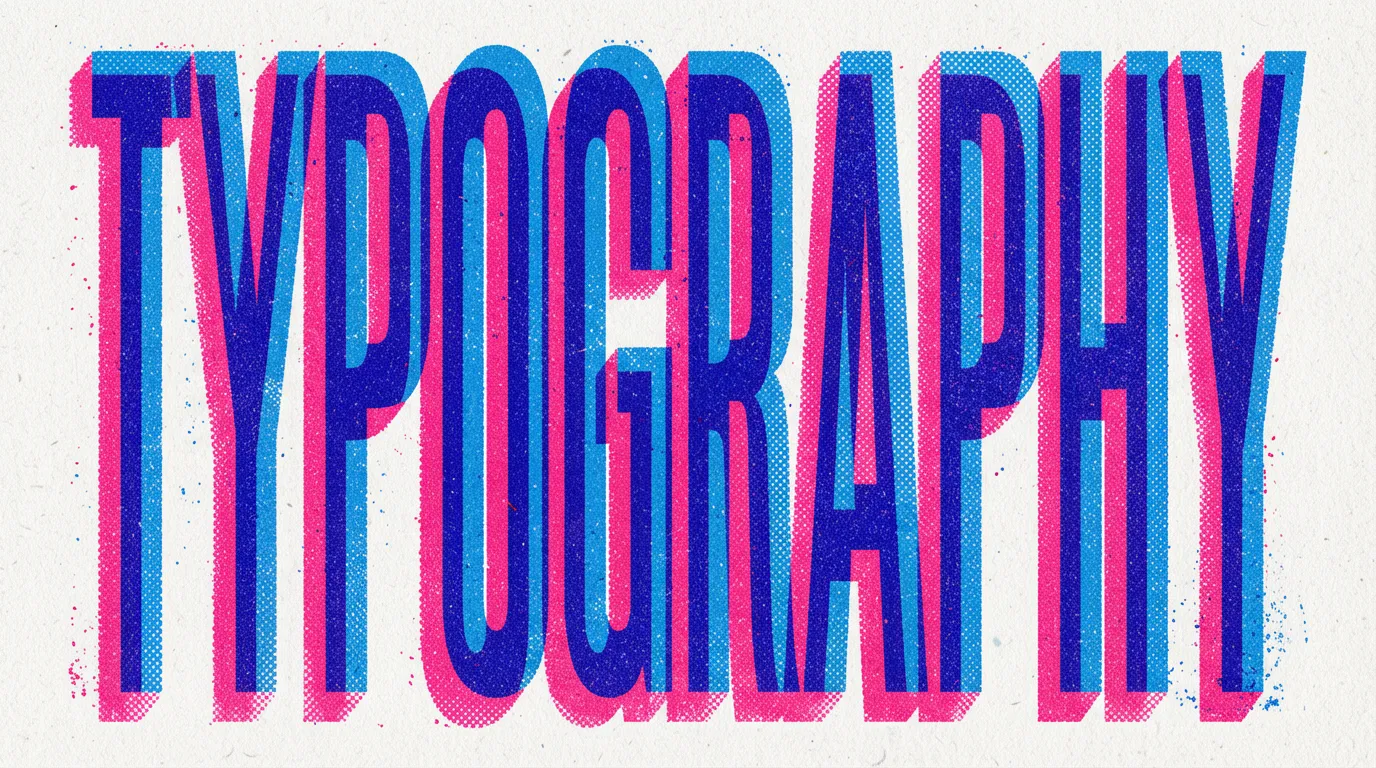
A vibrant, eye-catching "TYPOGRAPHY" design on a textured off-white background. The letters are bold, blocky, extra condensed and create a 3D effect with overlapping layers of bright blue and hot pink, each with a halftone dot pattern, evoking a retro print aesthetic. 16:9 aspect ratio
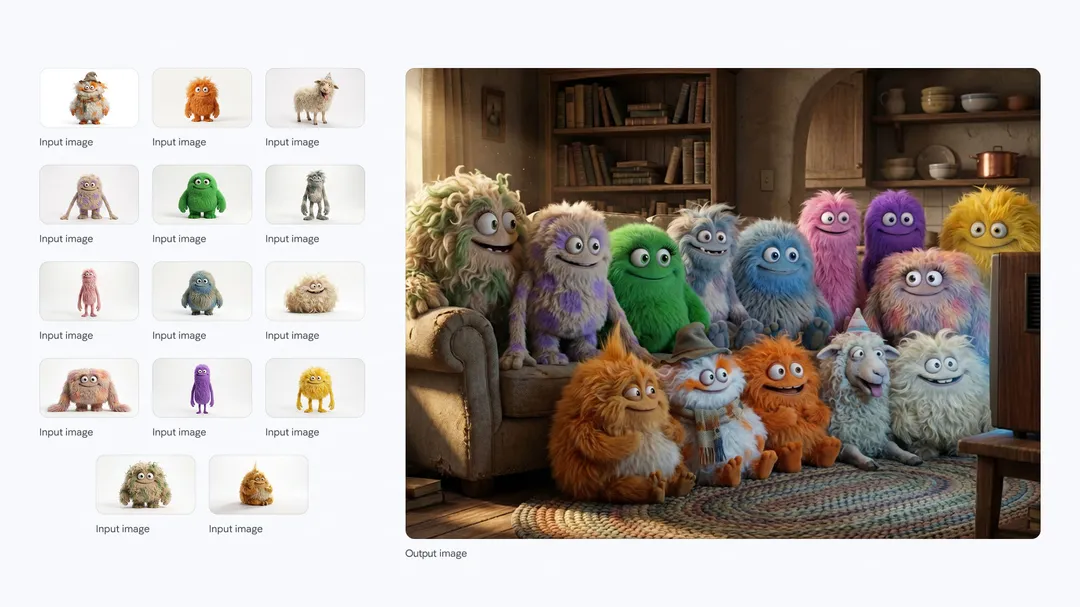
A medium shot of the 14 fluffy characters sitting squeezed together side-by-side on a worn beige fabric sofa and on the floor. They are all facing forwards, watching a vintage, wooden-boxed television set placed on a low wooden table in front of the sofa. The room is dimly lit, with warm light from a window on the left and the glow from the TV illuminating the creatures' faces and fluffy textures. The background is a cozy, slightly cluttered living room with a braided rug, a bookshelf with old books, and rustic kitchen elements in the background. The overall atmosphere is warm, cozy, and amused.
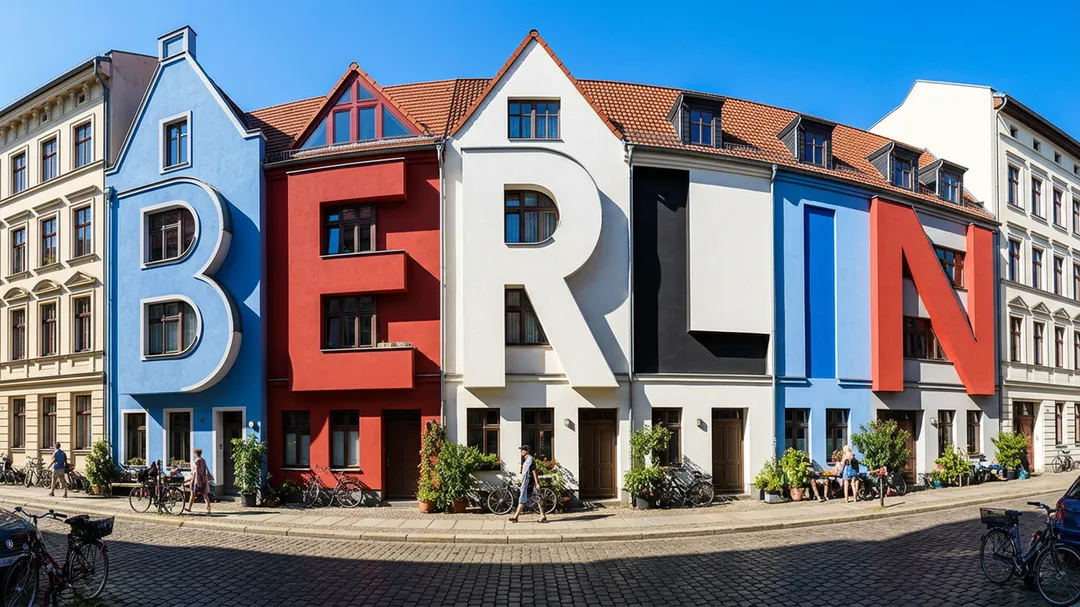
View of a cozy street in Berlin on a bright sunny day, stark shadows. the old houses are oddly shaped like letters that spell out "BERLIN" Colored in Blue, Red, White and black, The houses still look like houses and the resemblance to letters is subtle.
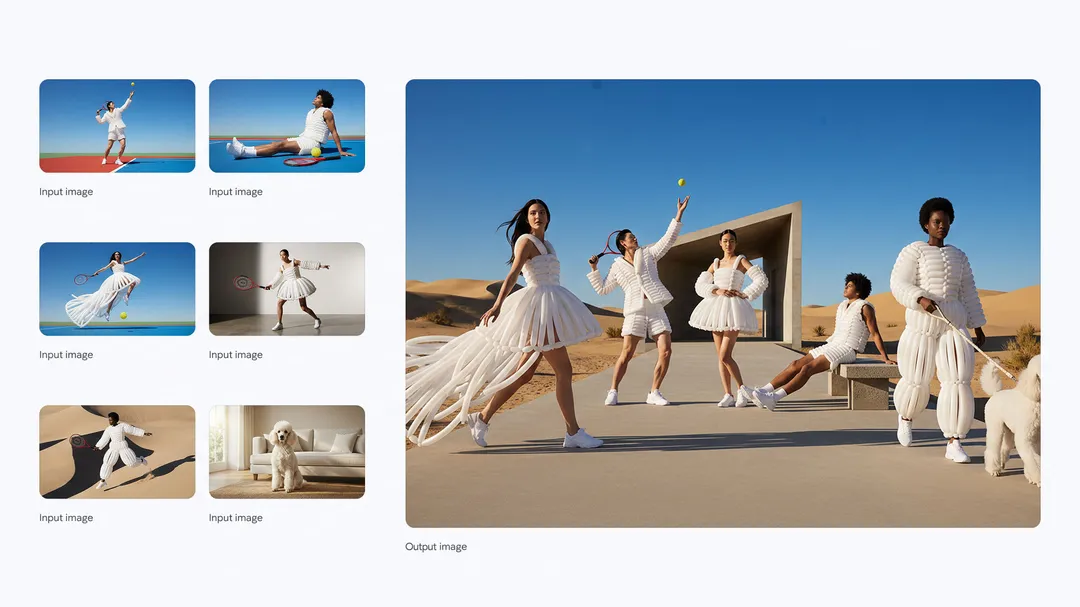
Put these five people and this dog into a single image, they should fit into a stunning award-winning shot in the style of a fashion editorial. The identity of all five people and their attire and the dog must stay consistent throughout but they can and should be seen from different angles and distances as is most natural and suitable to the scene. Make the colour and lighting look natural on them all, they look like they naturally fit into this fashion show.
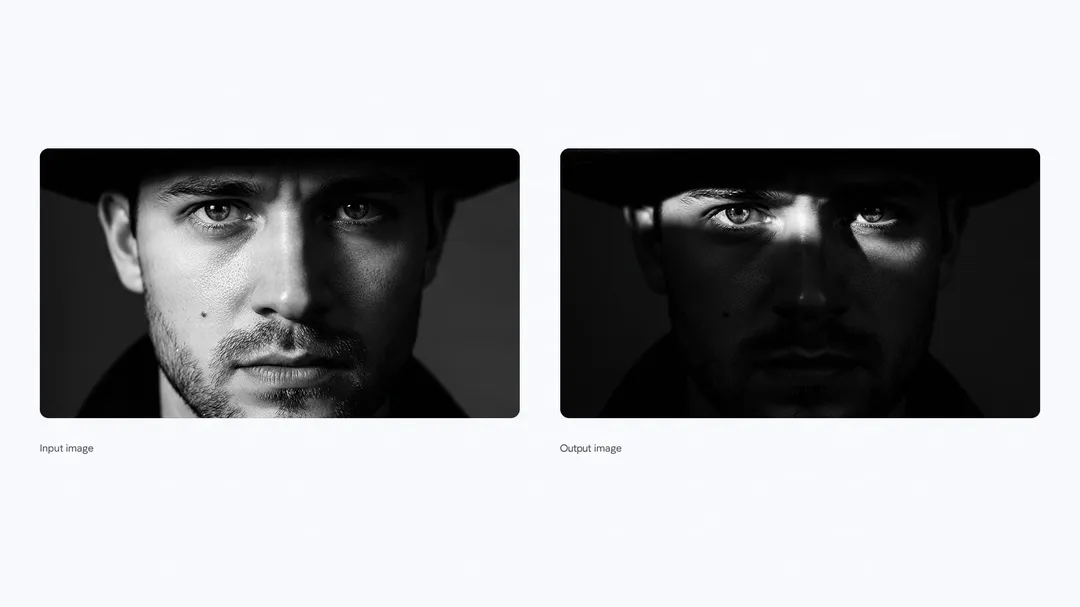
Generate an image with an intense chiaroscuro effect. The man should retain his original features and expression. Introduce harsh, directional light, appearing to come from above and slightly to the left, casting deep, defined shadows across the face. Only slivers of light illuminating his eyes and cheekbones, the rest of the face is in deep shadow.
How to Use Nano Banana Pro Prompt in 3 Steps
Start creating professional AI images in under 2 minutes
Open Gemini
Visit gemini.google.com and sign in with your Google account
Choose Your Mode
Generate from text: describe what you want. Edit photos: upload an image first
Use the Prompt Below
Copy any prompt from our library, paste it into Gemini, and hit generate!
Why Beginners Love Nano Banana Pro Prompt
Start creating professional AI images today—no learning curve required
Copy-Paste Ready Prompts
Every prompt is tested and ready to use. Just copy, paste into Nano Banana Pro, and watch the magic happen
Free Prompt Library
Browse our curated collection of tested prompts—all free, no signup required
4K & 2K Resolution Output
Nano Banana Pro supports professional 2K and 4K resolution for print-ready and commercial use
Text-in-Image Generation
Create images with perfectly rendered text—logos, posters, infographics, and more
Nano Banana Pro Prompt FAQ
New to AI image generation? Start here—we've answered the most common questions